What Are Comparison Operators in Coding? (How Your Code Picks a Side)
The Short below explains it in 60 seconds with a see-saw. This post goes deeper — because once comparison operators click, a whole layer of coding logic unlocks.
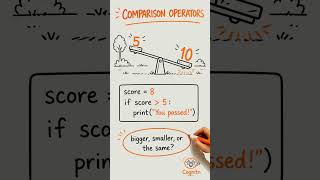
What Is a Comparison Operator?
A comparison operator compares two values and gives you one of two answers: True or False.
No middle ground. No "maybe". Just yes or no.
5 > 3   # True — five is greater than three
2 < 1   # False — two is not less than one
4 == 4  # True — four is equal to four
The result is always a Boolean — True or False. (Missed that one? Here's the booleans post.)
The Six Comparison Operators in Python
| Symbol | Meaning | Example | Result |
|---|---|---|---|
> |
Greater than | 10 > 5 |
True |
< |
Less than | 3 < 7 |
True |
== |
Equal to | 4 == 4 |
True |
!= |
Not equal to | 4 != 5 |
True |
>= |
Greater than or equal | 5 >= 5 |
True |
<= |
Less than or equal | 2 <= 3 |
True |
The one everyone trips over first: = means "store this value". == means "are these the same?". They look similar, they do completely different things.
score = 10     # store the number 10 in score
score == 10    # ask: is score equal to 10? → True
The See-Saw Analogy (Played Out)
Picture a playground see-saw. Two kids sit on either end.
- Left side goes down → left is heavier →
left > right - Right side goes down → right is heavier →
right > left - Perfectly balanced →
left == right
Your code does exactly that. Put a value on each side, tip it, and Python reports back which side wins.
Where Comparison Operators Show Up in Real Builds
They're everywhere. Every time your code needs to make a decision, a comparison is usually sitting underneath it.
In a farming game (The Farmer Was Replaced)
if crop_height >= 3:
    harvest()
That >= 3 is the comparison. The drone only harvests if the crop is tall enough. Change the number, change the behaviour — no other code touched.
In a game score tracker
if score > high_score:
    high_score = score
    print("New record!")
Two values. One comparison. The right thing happens automatically.
In a login check
if entered_password == stored_password:
    allow_in()
Every app with a login does exactly this. The comparison operator is doing the security check.
What Pairs with Comparison Operators Next
Comparison operators almost never appear alone — they're the engine inside an if statement.
if lives <= 0:
    game_over()
The if asks the question. The comparison provides the answer. The indented block runs when the answer is True.
When you need to combine two comparisons — "is the score high AND is the player still alive?" — that's where and and or come in. That's the next piece.
If you want to see how if statements work on their own, here's the full breakdown.
Try It Yourself
Open Python (or a free Replit notebook) and run these one line at a time:
print(100 > 50)        # True
print(3 == 4)          # False
print(10 != 10)        # False
print(7 >= 7)          # True
print("cat" == "cat")  # True — works on text too
That last one surprises a lot of beginners. Yes, you can compare strings as well as numbers. Same operators, same True/False result.
Comparison operators are one of those building blocks that show up in every piece of code you'll ever write. Get comfortable with them now — and if statements, loops, and game logic will start to feel like they're all speaking the same language, because underneath, they are. Every decision your program makes starts with: which side wins?
💬 What's the most useful comparison operator you've used so far? Drop it in the comments — I read every one and the best ones get pinned.
🧠 Cognito Coding — Learning To Code By Solving Real Problems. No fluff. No theory dumps. Just real builds — from Scratch and Block Coding through to Python and Vibe Coding with AI.